Illinois taxpayers can pay their individual income tax balance due, extension payments, and quarterly estimated taxes quickly and securely through MyTax Illinois, the online portal operated by the Illinois Department of Revenue (IDOR). No account or login is required to make a payment.
What you'll need before you begin
- Your Social Security Number (SSN), ATIN, or ITIN
- Your IL-PIN (required - see Step 2 for how to look it up)
- Your bank routing number and checking or savings account number
- Your name, address, and phone number
- The payment amount
Credit and debit cards cannot be used on MyTax Illinois. The portal only accepts direct bank account (ACH) payments from a checking or savings account. To pay by credit or debit card, you must use a third-party processor (convenience fees apply) - see the options listed at tax.illinois.gov.
Step-by-step payment instructions
Step 1: Go to MyTax Illinois
Visit mytax.illinois.gov. Under the Individuals section, click "Make an Individual Income Tax Payment." No login or account is required.
Step 2: Look up your IL-PIN
Your Illinois Personal Identification Number (IL-PIN) is an 8-digit account number assigned by IDOR after you file your first IL-1040. It is required to make a payment through MyTax Illinois. You may have received it on a prior-year notice from IDOR. If you don't have it handy, look it up using one of the three methods below.
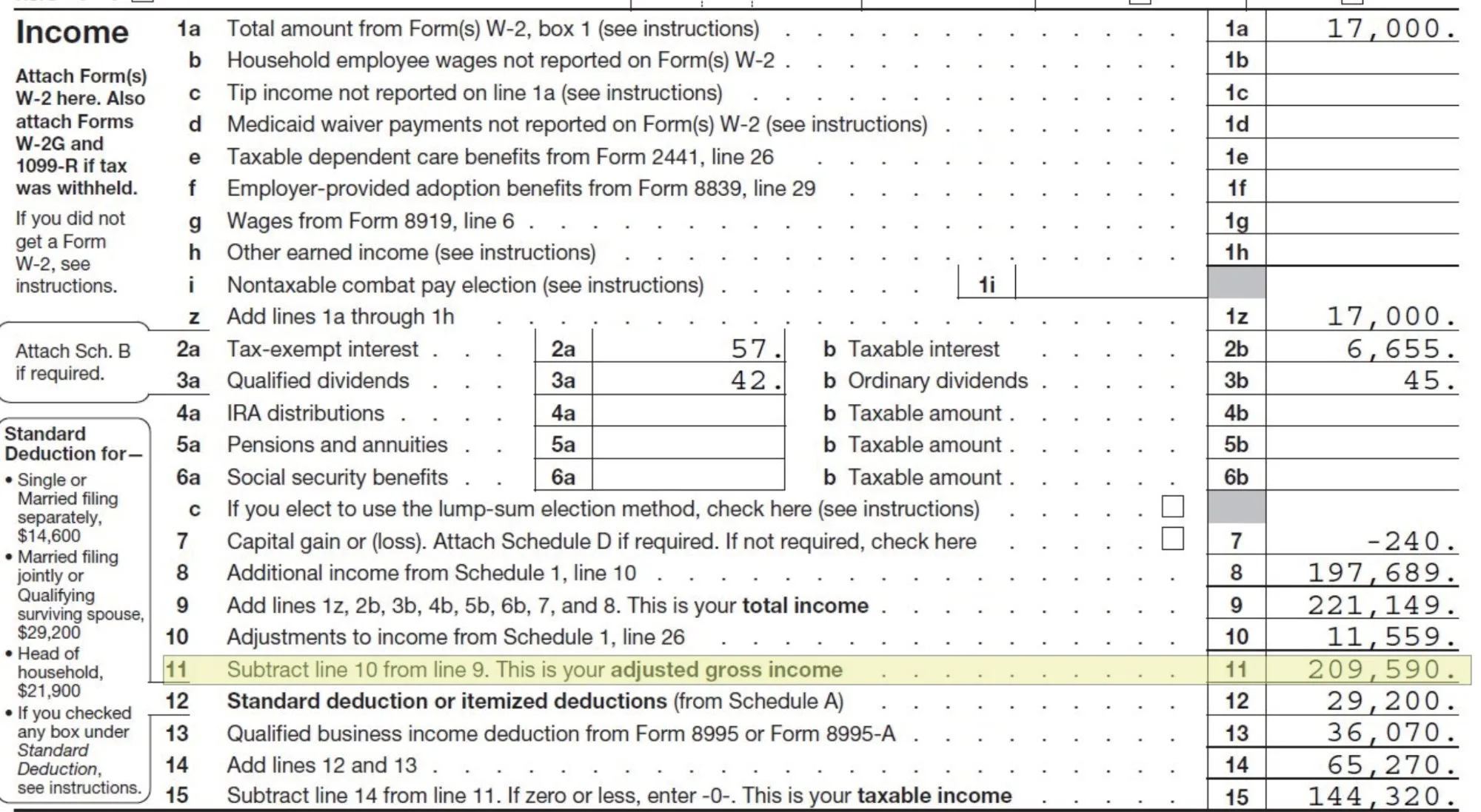
Option 1 - Prior-year Adjusted Gross Income (AGI). Use the AGI from your most recently filed return.
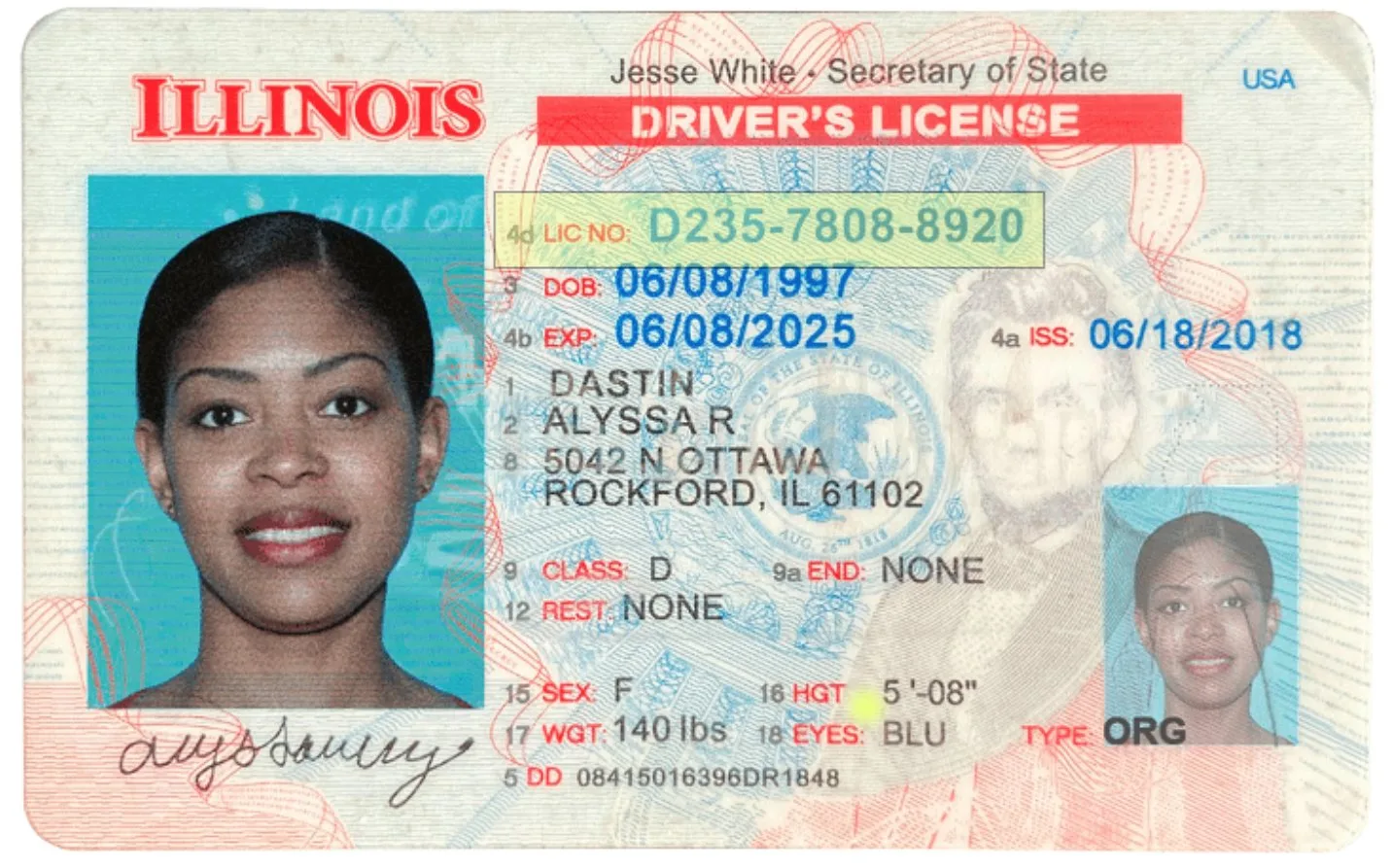
Option 2 - Illinois Driver's License or State ID. Use the license or ID number from your current Illinois Driver's License or Illinois State ID.
Option 3 - Call IDOR. Call 800-732-8866, Monday through Friday, 8 AM to 5 PM.
Step 3: Enter taxpayer information
Fill in your SSN/ITIN, IL-PIN, first and last name, phone number, and address. Click Next to continue.
Step 4: Select payment type
On the Payment Information screen, select the Payment Type that matches your situation:
- IL-1040 Payment - your annual income tax balance due when filing your Illinois return (Form IL-1040).
- IL-505-I Payment - an extension payment. This extends the time to file your return but does not extend the time to pay: at least 80% of your estimated tax liability must be paid by the original due date to avoid penalties.
- IL-1040-ES Estimated Payment - quarterly estimated tax payments. Select the applicable quarter for the payment you are making.
Then enter your bank routing number, account number, payment amount, and desired payment date. Click Next.
Step 5: Review and submit
Review all payment details carefully. Verify your bank account information and payment amount, then click Submit. Save or print your confirmation number as proof of submission.
Key payment deadlines & important notes
- Annual Balance Due (IL-1040): due April 15 of the year following the tax year (e.g., April 15, 2026 for tax year 2025). An extension to October 15 is available to file, but does not extend the deadline to pay.
- Extension Payment (IL-505-I): also due April 15. To avoid penalties under an extension, at least 80% of your final tax liability must be paid by the original due date.
- Quarterly Estimated Payments (IL-1040-ES): required if you expect to owe more than $1,000 in Illinois income tax after withholding.
This guide is provided by JSBC for informational purposes and reflects the MyTax Illinois process at the time of writing. State portals and deadlines can change - always confirm current details on the official Illinois Department of Revenue site. Retain your confirmation number as proof of payment.